
Invoices
Your personal, secure place to see and track the invoices any business has sent you across the Sparky suite — for example, an invoice from an accounting firm using SparkyInvoices, or (in future) a receipt from a SparkyTours booking or a SparkySite purchase.
How you get access
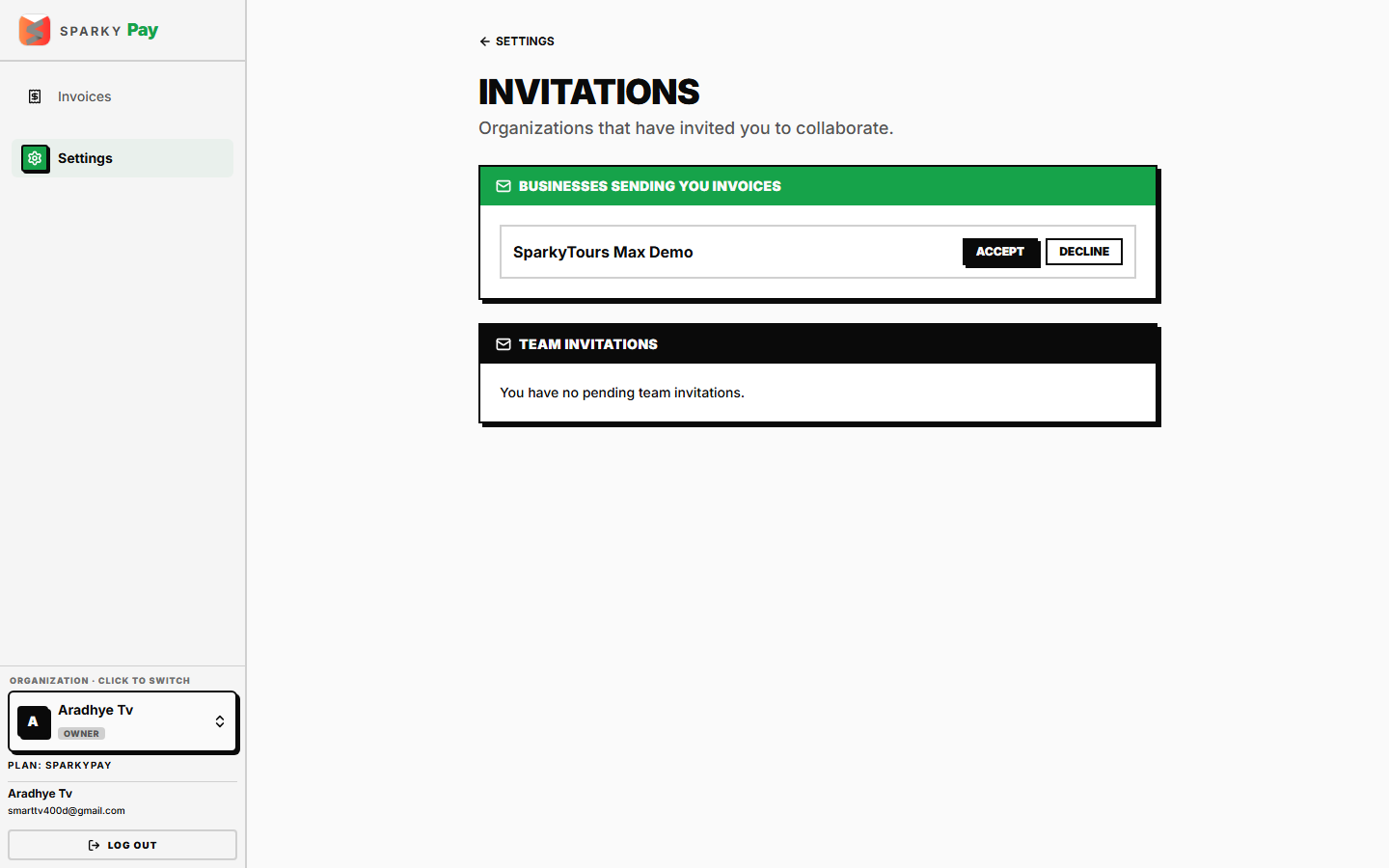
A business gives you access by inviting you — you don't sign up here on your own. When they send you an invoice for the first time, you'll get an email with a one-time link to accept access. You can also find any pending invites under Settings → Invitations and accept from there if the email doesn't arrive. Accepting signs you in (or creates your free SparkyPay account if you don't have one yet) and connects you to that business.
How to view your invoices
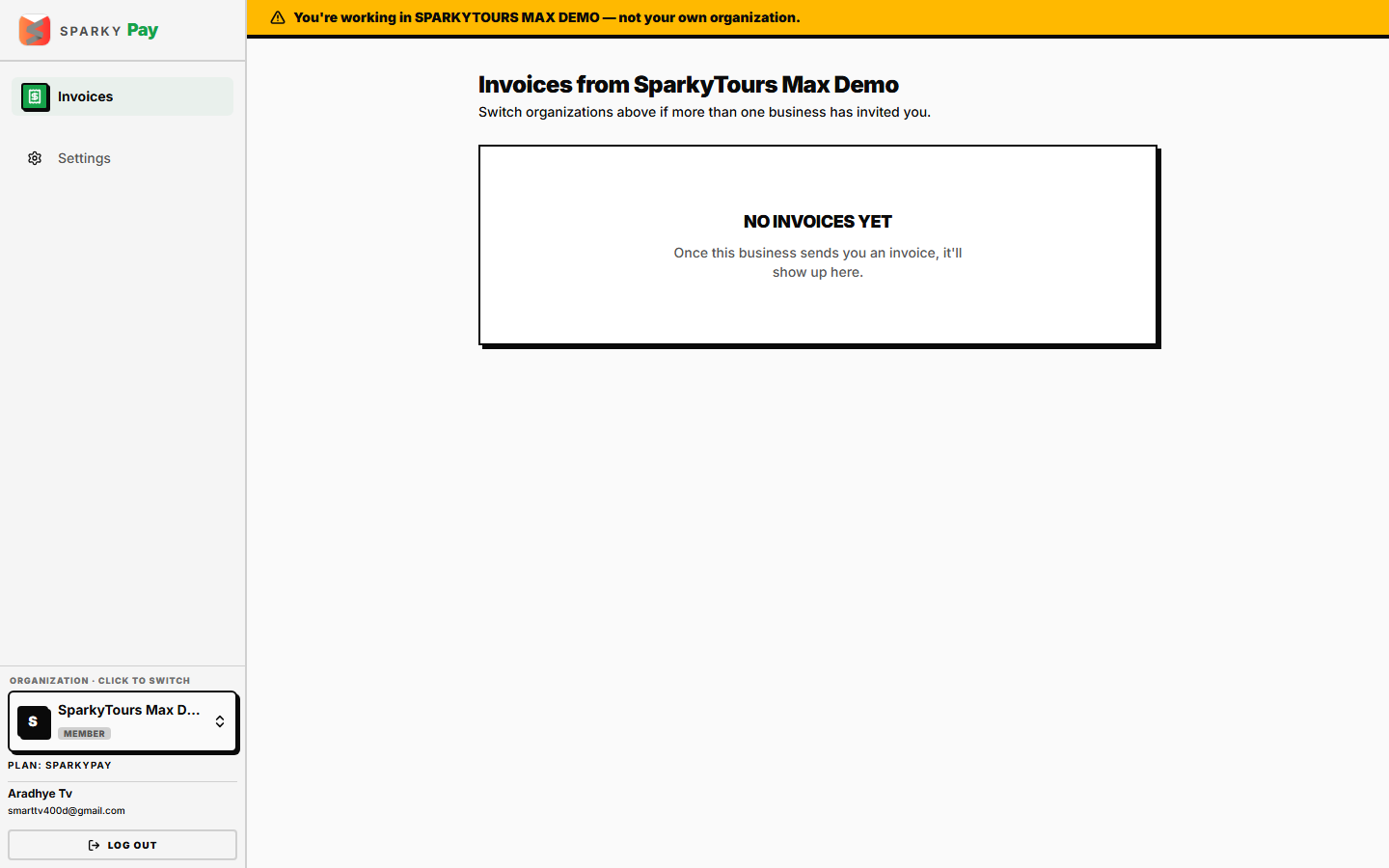
Open Invoices from the sidebar. You'll see every invoice the current business has sent you — number, amount, dates, and status (draft invoices aren't shown; a business only shares one once it's actually sent). If a business hasn't sent you anything yet, you'll see a plain "No invoices yet" message instead of an empty table.
How to switch between businesses
If more than one business has invited you (say, one company invoices you and a separate agency also uses SparkyPay to bill you), use the organization switcher at the top to move between them. Each business only ever sees its own invoices to you — nobody else's.
How to view an invoice
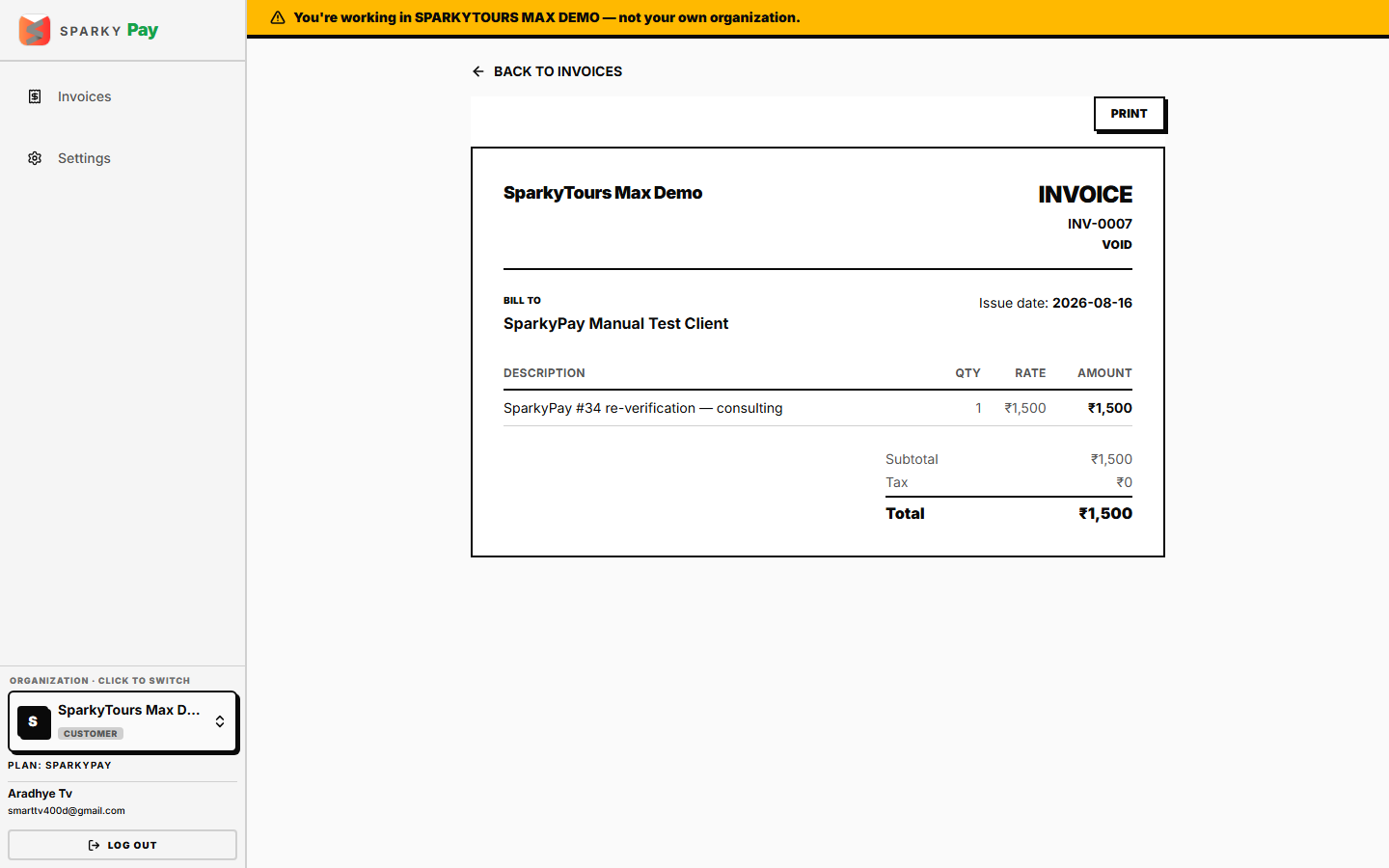
Open an invoice to see the full document — issuing business's letterhead, line items, taxes, and total — the same layout the business itself sees on their side, just without any of their internal tools around it.